Projections create distortion
“Lots of ways” is the answer is to how you could project a globe onto paper.
QGIS Documentation on projections says:
It is important to make an appropriate choice of CRS for your QGIS projects. Choosing an inappropriate CRS can cause your maps to look distorted, and poorly reflect the real-world relative sizes and positions of features. Usually, while working in smaller geographic areas, there will be a number of standard CRSs used within a particular country or administrative area. It’s important to research which CRSs are appropriate or standard choices for the area you are mapping, and ensure that your QGIS project follows these standards.
Small scale maps (of the world or North America) create more obvious distortion, but even larger scale maps (of Rockbridge County or back campus) have the same distortions, but they’re less obvious because they’re over a smaller distance. Map projections have different names, depending on what is held constant and what is allowed to distort. No map satisfies all four.
-
- equal area – homolographic — if you put a dime on a map, it’ll always cover the same area, but shapes and angles are distorted
- shape – conformal — at a point, relative local angles are preserved, meridians intersect parallels at right angles, but areas enlarged or reduced
- scale – equidistant — equidistant between two points and rest of map only, or along meridians
- directional – azimuthal — all rhumblines (lines of constant direction) are straight
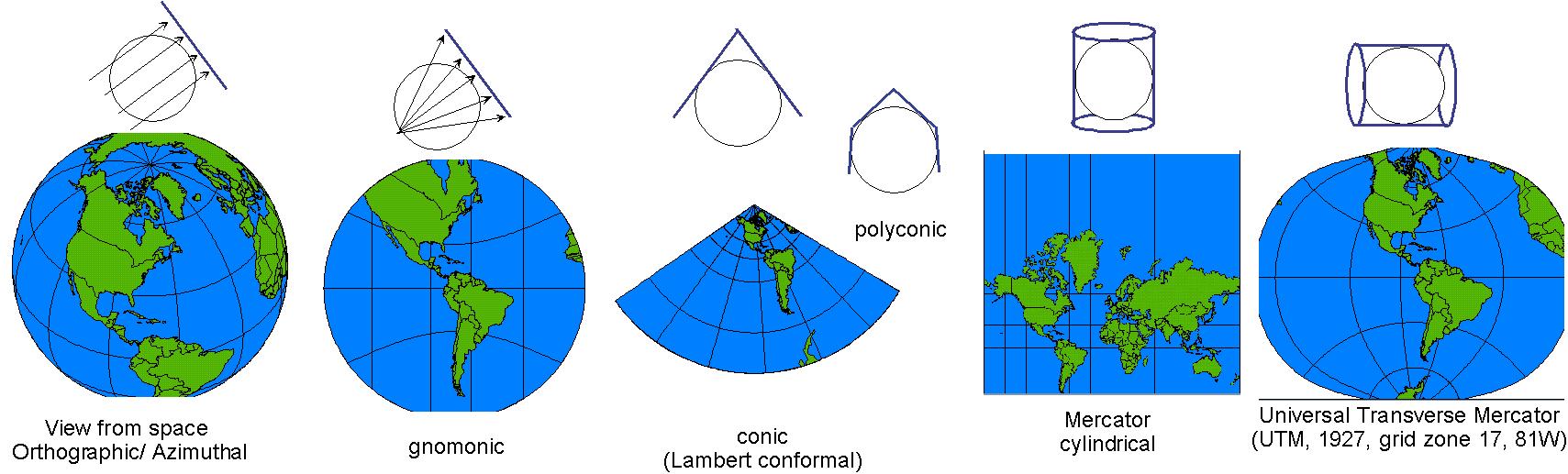
Generally, three types of projections characterize most of what you’ll see produced: cylindrical, conic, or planar.
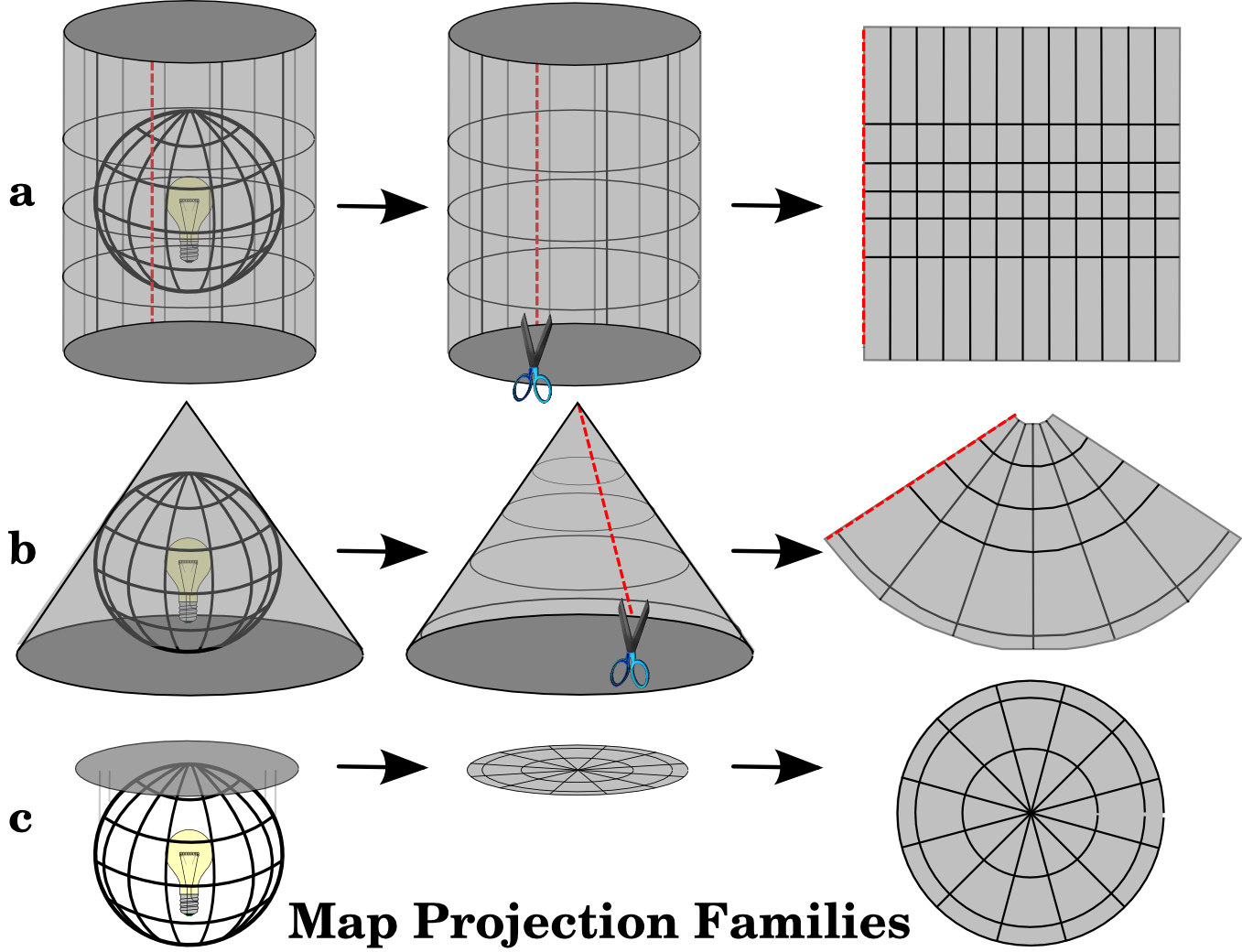
The three families of map projections. They can be represented by a) cylindrical projections, b) conical projections or c) planar projections. source Q documentation
In QGIS open the intro_Q_project_the_world.qgz project from your copy of the ..\demo\introQ folder.
Click the EPSG box in the lower right. Unless you’ve changed it, it starts as “geographic” or unprojected.
-
- “geographic” (GCS) is not projected but the WGS84 datum to establish teh shape of the earth and the location of the origin on the earth (we will get to spheroids and datums next)
- Cylindrical (e.g. “Miller”) – EPSG 54003
- Azimuthal (for poles) – EPSG 54032
- Conic (one latitude is tangent, called the standard parallel) – EPSG 54027
- Polyconic (multiple latitudes are the parallels) – EPSG 54021
- and try some others…werner?…. too many to mention them all
Now let’s think above a local, large-scale map here in Virginia or Rockbridge County. What projection would you want? Equidistant? Conformal?
Open the intro_Q_attributes project from your introQ folder.
Click the EPSG box in the lower right. Unless you’ve changed it, it starts as “geographic” or unprojected.
- Geographic/North America/NAD1927 (simply longitude as x and latitude as y, or GCS- “geographic coordinate system”)
- Each state has a “state plane” projection, which might be conic, transverse cylindrical, or oblique, depending on the shape of the state. What does Virginia use? Search for Virginia and choose “NAD27/Virginia South”
What kind of projection is it? Why that given our shape? Units of measure?Compare size and shape of Virginia for geographic (EPSG:4267) and state plane (EPSG:32047). Measure the distance across Rockbridge or something else in both using “cartesian” or map coordinates. - Now look for Projected/UTM/NAD 1927/grid zone 17N (26717)
UTM zones here. UTM is commonly used at the field research scale. - And then try zone 5N for grins.
Do you know the difference between a layer’s coordinate system (its CRS) and a map canvas’ CRS, and what “on the fly” projection means when they’re different?
The maker of the cartoon XKCD claims to have the “best” map considering all four of these potential distortions. The “Waterman” projection.
A further, excellent article on coordinate reference systems (CRS) and projections can be found here. And this demonstration is fun.
Edited by NDB Jan22, 2025 & DJH Jan 13, 2026